API Keys
API keys provide non-interactive access to the AnomalyGuard REST API using the X-API-Key header.
Use them when no person is signing in interactively — for example CI/CD pipelines, AI agents, and external systems that integrate with AnomalyGuard on behalf of your organization.
Web UI
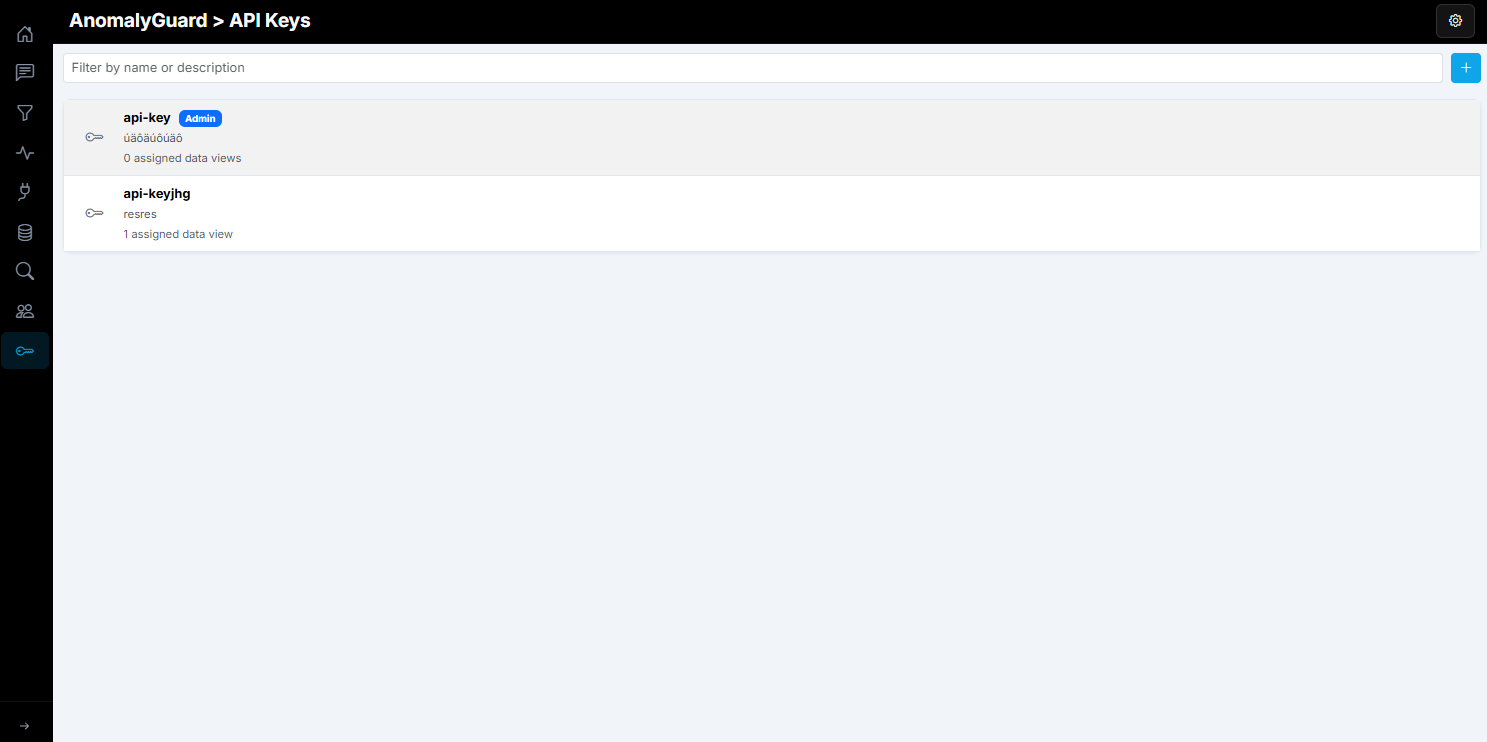
Open API keys in the admin navigation. The list shows each key’s name, optional description, Admin badge when applicable, assigned data view count, and last used time. Use the search box to filter by name or description.
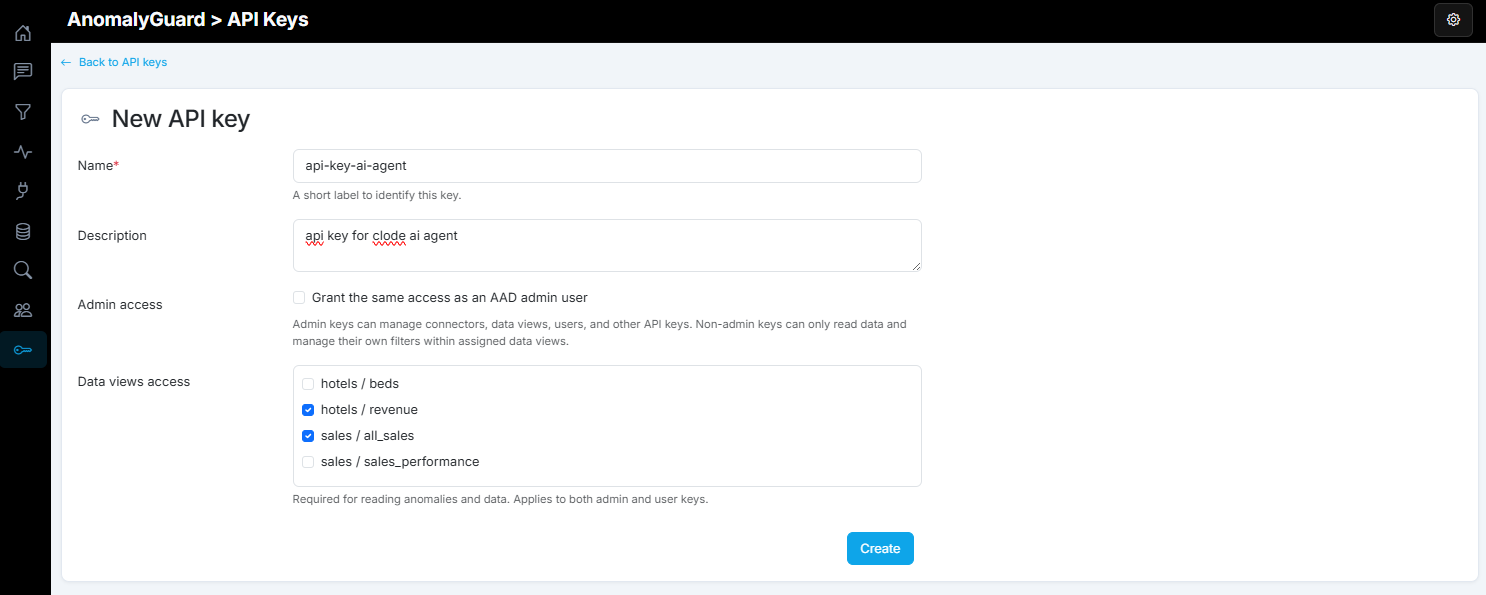
To create a key, click Add API key (plus button). On the form set:
| Field | Purpose |
|---|---|
| Name | Short label (for example ci-pipeline) |
| Description | Optional notes about where the key is used |
| Admin access | Checked = Admin (same access as an Entra admin). Unchecked = User (read data and manage own filters within assigned data views only) |
| Data views access | Select the data views this key may use. Required for reading anomalies and data; assign only what the integration needs |
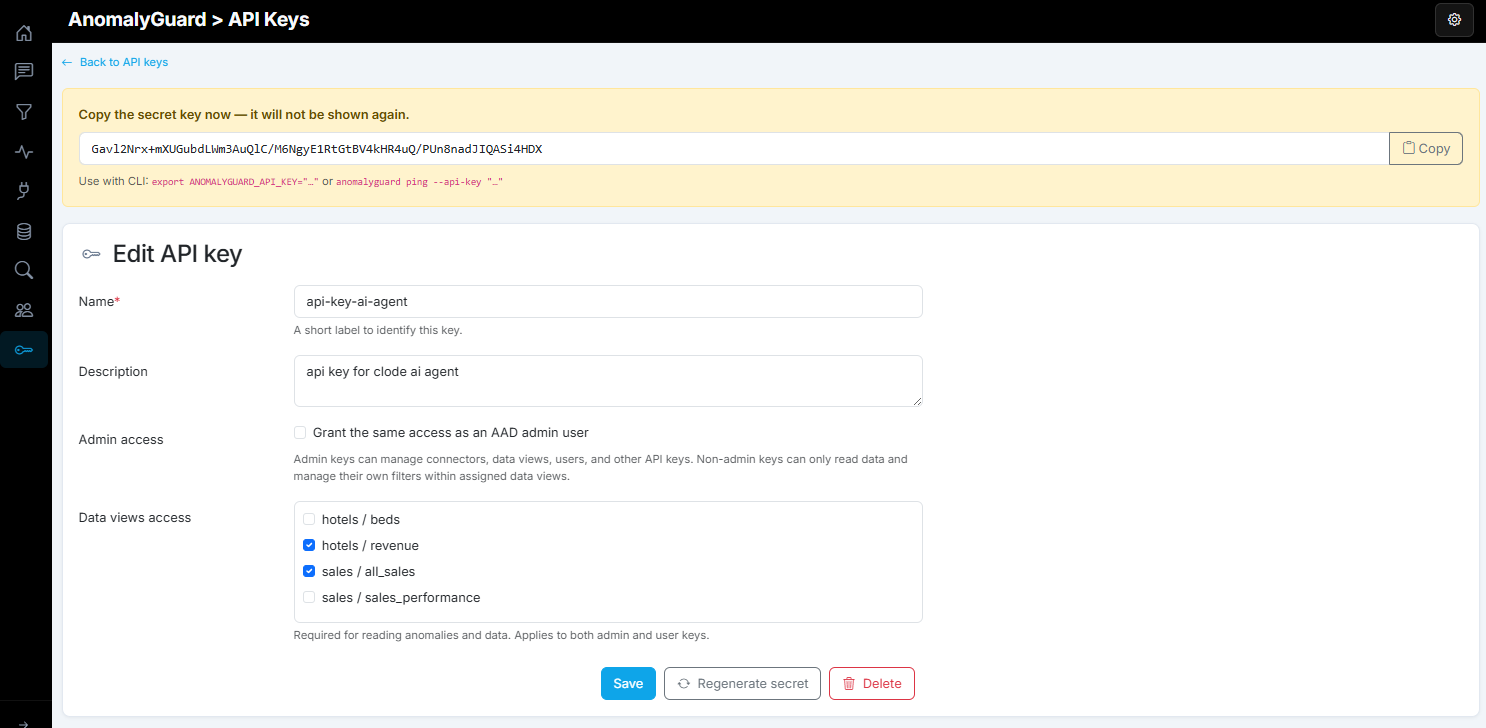
After Create, the UI shows the generated secret once. Copy it immediately (or use Copy) — it is not shown again. Store it as ANOMALYGUARD_API_KEY or pass --api-key / X-API-Key.
If the secret is lost, open the key and use Regenerate secret. The previous secret stops working immediately; the new value is shown once, same as on create.
Roles
| Role | Access |
|---|---|
| Admin | Full administrative access (connectors, data views, users, API keys, …) |
| User | Read data and manage own filters within assigned data views |
In the API/CLI this is the boolean isAdmin (true = Admin, false = User).
REST API
Base path: /api/v1/system/api-keys (admin only to manage keys). Callers authenticate with an existing admin key or Bearer token when creating keys; afterwards integrations typically use the new key via X-API-Key.
| Method | Path | Description |
|---|---|---|
| GET | /roles |
List role options (User / Admin) |
| GET | / |
List API keys (secrets never returned) |
| POST | / |
Create key — response includes secretKey once |
| PUT | /{id} |
Update name, description, isAdmin, dataViewIds |
| POST | /{id}/regenerate-secret |
Issue a new secret (old one stops working) |
| DELETE | /{id} |
Delete / revoke the key |
List roles
GET /api/v1/system/api-keys/roles
Authorization: Bearer <aad-access-token>
Create a key
POST /api/v1/system/api-keys
Authorization: Bearer <aad-access-token>
Content-Type: application/json

{
  "name": "ci-pipeline",
  "description": "GitHub Actions deploy and load jobs",
  "isAdmin": false,
  "dataViewIds": [1, 2]
}
Example response (store secretKey immediately):
{
  "id": 42,
  "name": "ci-pipeline",
  "description": "GitHub Actions deploy and load jobs",
  "isAdmin": false,
  "secretKey": "ag_••••••••",
  "message": "Store the secretKey value now; it will not be shown again."
}
Use a key on API calls
GET /api/v1/dataviews
X-API-Key: ag_••••••••
POST /api/v1/dataviews/5/jobs/load
X-API-Key: ag_••••••••
GET /api/v1/access/me/dataviews/status
X-API-Key: ag_••••••••
Regenerate secret
POST /api/v1/system/api-keys/42/regenerate-secret
Authorization: Bearer <aad-access-token>
Delete a key
DELETE /api/v1/system/api-keys/42
Authorization: Bearer <aad-access-token>
See also How to use the API.
CLI
Manage keys and call the API with the CLI. Add --json for machine-readable output.
Manage keys
# Role options
anomalyguard system api-keys roles --json

# List keys (no secrets)
anomalyguard system api-keys list --json

# Create (flags)
anomalyguard system api-keys create \
  --name ci-pipeline \
  --description "GitHub Actions" \
  --data-view-ids 1,2

# Create (JSON file) — body uses isAdmin, not role
anomalyguard system api-keys create --file apikey.json
Example apikey.json:
{
  "name": "ci-pipeline",
  "description": "GitHub Actions",
  "isAdmin": false,
  "dataViewIds": [1, 2]
}
The create response includes secretKey once — store it immediately.
# Update assignment / admin flag
anomalyguard system api-keys update 42 --data-view-ids 1,2,5 --is-admin false

# Regenerate secret (old secret stops working)
anomalyguard system api-keys regenerate-secret 42 --json

# Delete key
anomalyguard system api-keys delete 42
Use a key
# Environment variable (recommended for CI)
export ANOMALYGUARD_API_KEY="ag_••••••••"
export ANOMALYGUARD_BASE_URL="https://anomalyguard.contoso.com"

anomalyguard ping
anomalyguard dataviews list
anomalyguard dataviews jobs-load 5
anomalyguard access me-dataviews-status --json
Or pass the key per command:
anomalyguard dataviews list \
  --base-url https://anomalyguard.contoso.com \
  --api-key "ag_••••••••"
Configuration
Security:ApiKeysPepper must be configured in application settings before API keys can be created.