Cardinality
YAML type: cardinality | Category: Business
Flags unusual distinct counts of a category within a grouping.
Description
Counts distinct values of countColumn within groupBy at daily/weekly/monthly grain. Weekly/monthly distinct counts are computed from raw data (not sum of daily). Grain: groupBy set, countColumn null on the series.
How it works
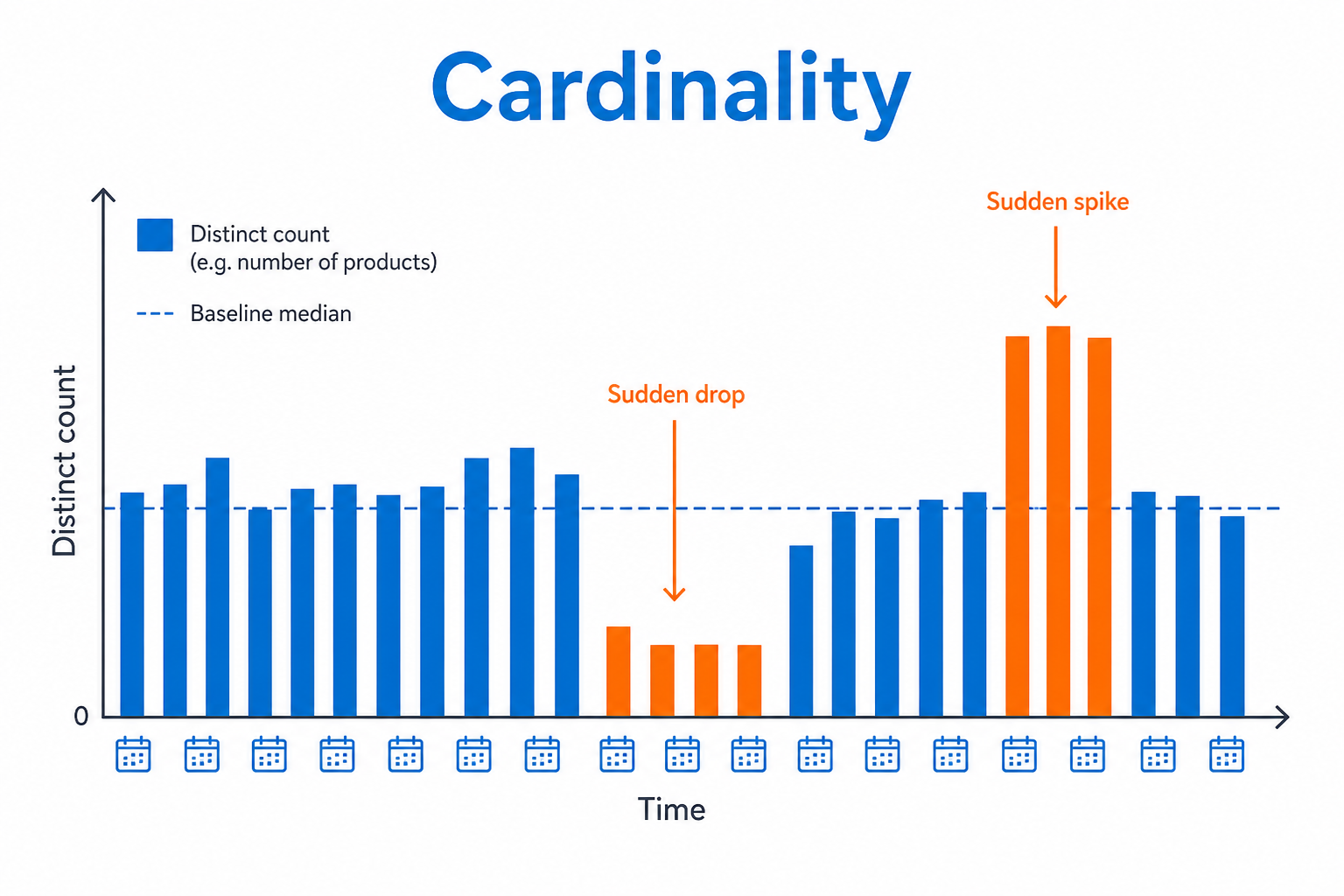
Cardinality counts distinct values of countColumn within groupBy for each period (daily, weekly, or monthly) directly from raw data -- weekly/monthly counts are not sums of daily counts.
Those distinct counts are compared to a baseline with relative or robust_z. The series grain must have groupBy set and countColumn null (rollup over the counted dimension). Alerts fire when the number of active entities jumps or collapses.
Setup
Choose groupBy, countColumn, granularity, and method/threshold.
Configure detectors on the data view Analysis tab or in YAML. Validate with Data Preview before enabling production schedules.
Settings
| Parameter | Default | Description |
|---|---|---|
groupBy |
-- | Grouping dimensions |
countColumn |
-- | Category to count distinct values of |
granularity |
daily |
Period grain -- see Allowed values |
method |
relative |
Distinct-count scoring -- see Allowed values |
threshold |
20 |
Method-specific threshold |
mode |
both |
Direction -- see Allowed values |
minDistinct |
5 |
Skip periods below this distinct count |
Allowed values
granularity
| Value | Meaning |
|---|---|
daily |
Evaluate at day grain (default; also the fallback for unknown values) |
weekly |
Evaluate at week grain (alias: week) |
monthly |
Evaluate at month grain (alias: month) |
method
| Value | Meaning |
|---|---|
relative (catalog default) |
Percent deviation vs median distinct count; threshold is a percent |
robust_z |
Robust z-score vs baseline distinct count; threshold is a z-score |
mode
| Value | Meaning |
|---|---|
above |
Flag increases / values above the comparison (or high side of a band) |
below |
Flag decreases / values below the comparison (or low side of a band) |
both |
Flag either direction |
Shared series filters
Most detectors also accept optional series filters in params:
| Parameter | Purpose |
|---|---|
maxGapAmount |
Skip series when gap amount is too high (null = no limit). Catalog create-default is often 5. |
minValue |
Skip series whose average value is below this (null = no limit). Catalog create-default is often 1000. |
maxValue |
Skip series whose average value is above this (optional; omit/null = no limit) |
useSpecialDates |
When true, suppress anomalies that overlap special dates |
When a filter skips a series, Data Preview shows the reason.
Configuration example
analysis:
  detectors:
    - type: cardinality
      params:
        groupBy: [region]
        countColumn: product
        granularity: daily
        method: relative
        threshold: 30.0
        mode: both
        minDistinct: 3
Using the detector
Alerts when the number of active entities changes abnormally (catalog shrink/growth).
Use cases
- Products per region collapsing
- Active SKUs or merchants dropping
- Unexpected explosion of categories