Bounds
YAML type: bounds | Category: Data quality
Flags values outside an allowed [min, max] range (hard business rules).
Description
Bounds is a deterministic range check. Use it when valid values must stay inside known limits (non-negative quantities, percentage caps, SLA floors).
How it works
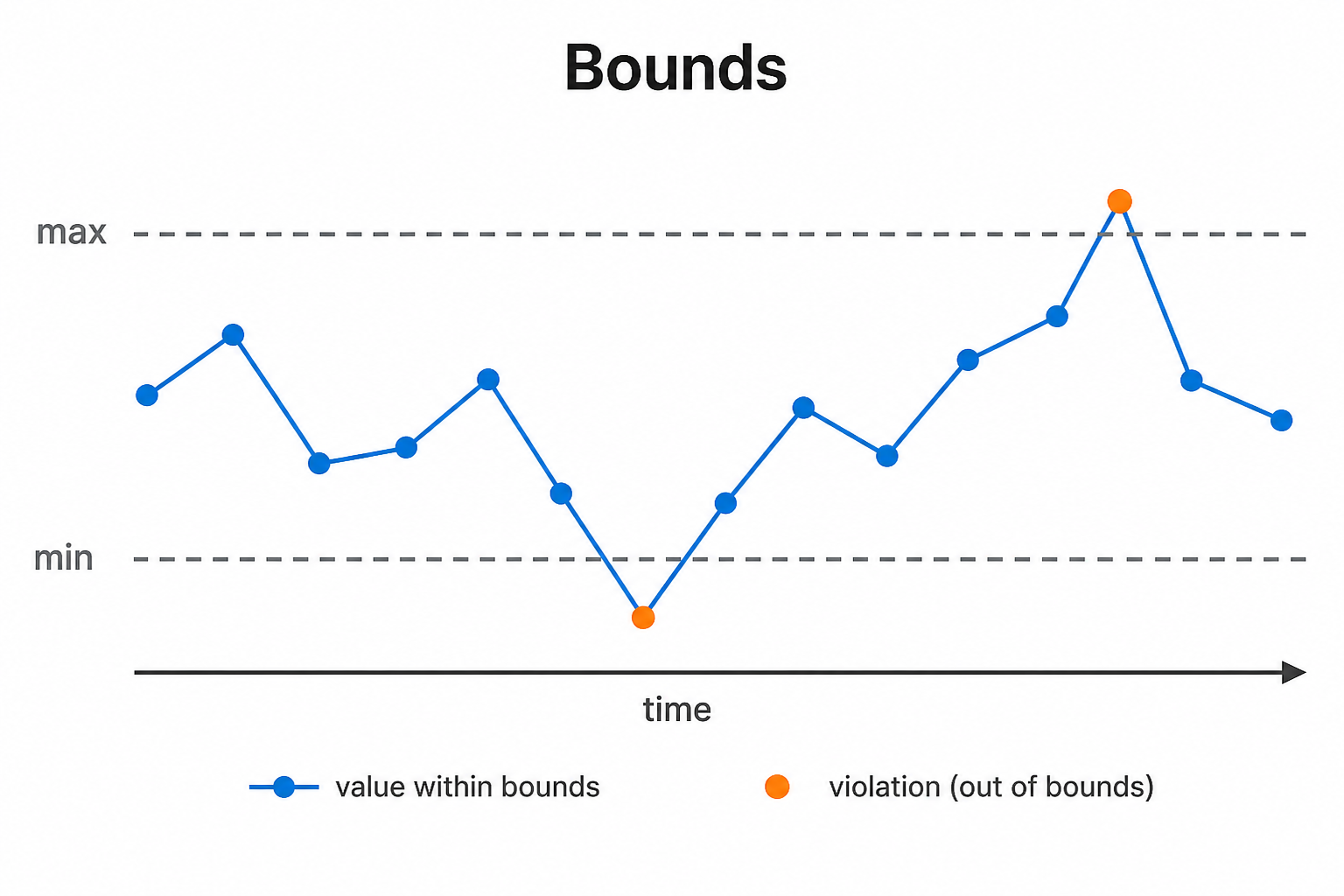
Bounds compares each point to a hard allowed range. If the value falls below min, above max, or either side depending on mode, the point is flagged.
There is no learning from history: null bounds leave that side open. Use it for business rules and basic data-quality gates (for example non-negative amounts).
Setup
Set min and/or max (null = open side). Choose mode for which side(s) to flag.
Configure detectors on the data view Analysis tab or in YAML. Validate with Data Preview before enabling production schedules.
Settings
| Parameter | Default | Description |
|---|---|---|
min |
null | Lower bound (omit/null = no lower limit) |
max |
null | Upper bound (omit/null = no upper limit) |
mode |
below (catalog) |
Direction -- see Allowed values |
Allowed values
mode
| Value | Meaning |
|---|---|
above |
Flag increases / values above the comparison (or high side of a band) |
below |
Flag decreases / values below the comparison (or low side of a band) |
both |
Flag either direction |
min/max: omit or setnullfor an open side. If both are null, the detector does nothing.
Shared series filters
Most detectors also accept optional series filters in params:
| Parameter | Purpose |
|---|---|
maxGapAmount |
Skip series when gap amount is too high (null = no limit). Catalog create-default is often 5. |
minValue |
Skip series whose average value is below this (null = no limit). Catalog create-default is often 1000. |
maxValue |
Skip series whose average value is above this (optional; omit/null = no limit) |
useSpecialDates |
When true, suppress anomalies that overlap special dates |
When a filter skips a series, Data Preview shows the reason.
Configuration example
analysis:
  detectors:
    - type: bounds
      params:
        min: 0.0
        max: null
        mode: below
Using the detector
Treat Bounds hits as rule violations. Often fixed by correcting source data or query filters rather than detector thresholds.
Use cases
- Non-negative inventory or revenue checks
- Percentage metrics that must stay within 0-100
- Hard contractual floors/ceilings
Specifics
Unlike statistical detectors, Bounds does not adapt to history.