Spike
YAML type: spike | Category: Shape
Detects sudden isolated spikes or drops using batch statistical analysis.
Description
Spike finds short, sharp outliers rather than sustained level shifts. It processes the series in batches and scores candidates with a sensitivity threshold.
How it works
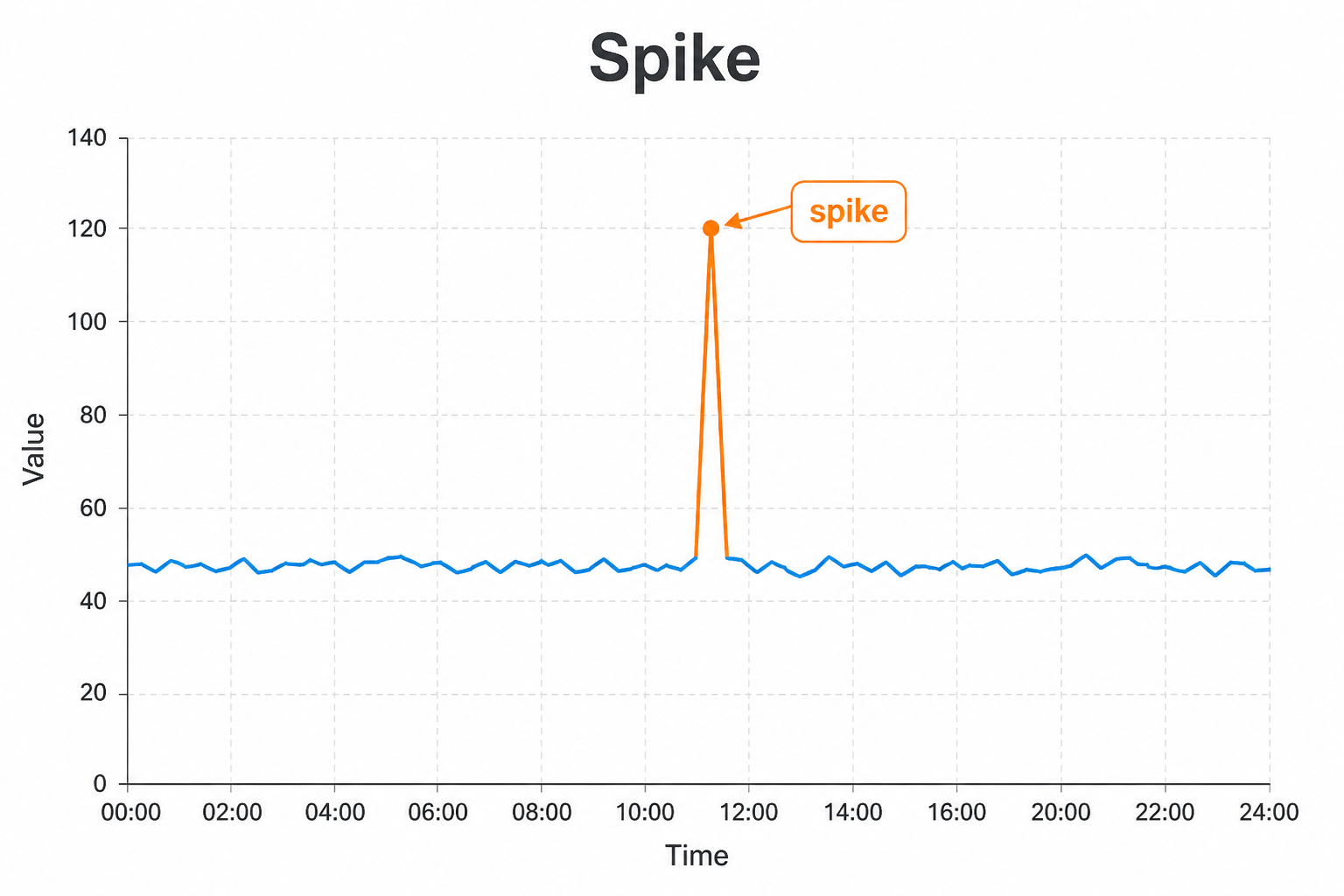
Spike scores the series in batches and looks for short, sharp outliers relative to nearby values. When the spike score crosses the configured threshold and sensitivity, it raises a Spike anomaly.
Unlike sustained-shift detectors, Spike is tuned for isolated peaks or drops that return quickly to the previous level. Longer level changes are better handled by Sustain, Cluster Window, or Changepoint.
Setup
Enable spike on series where one-day (or short) outliers matter more than multi-day trends. Tune sensitivity higher for fewer alerts.
Configure detectors on the data view Analysis tab or in YAML. Validate with Data Preview before enabling production schedules.
Settings
| Parameter | Default | Description |
|---|---|---|
threshold |
0.35 |
Spike scoring threshold |
batchSize |
1024 |
Points processed per batch |
sensitivity |
99.0 |
Higher values reduce sensitivity |
Shared series filters
Most detectors also accept optional series filters in params:
| Parameter | Purpose |
|---|---|
maxGapAmount |
Skip series when gap amount is too high (null = no limit). Catalog create-default is often 5. |
minValue |
Skip series whose average value is below this (null = no limit). Catalog create-default is often 1000. |
maxValue |
Skip series whose average value is above this (optional; omit/null = no limit) |
useSpecialDates |
When true, suppress anomalies that overlap special dates |
When a filter skips a series, Data Preview shows the reason.
Configuration example
analysis:
  detectors:
    - type: spike
      params:
        threshold: 0.35
        batchSize: 1024
        sensitivity: 99.0
Using the detector
Spike anomalies highlight abrupt one-off events. Compare with peers or comments to distinguish real incidents from data glitches.
Use cases
- Fraud or bot traffic bursts
- One-day pricing or promotion errors
- Sensor glitches that return extreme values briefly
Specifics
For multi-day level shifts prefer sustain, cw, or changepoint.