Quantile Threshold Weekly (QtW)
YAML type: qtw | Category: Quantile
Compares weekly aggregates against a global weekly quantile.
Description
Same idea as Qt on weekly rolled-up values.
How it works
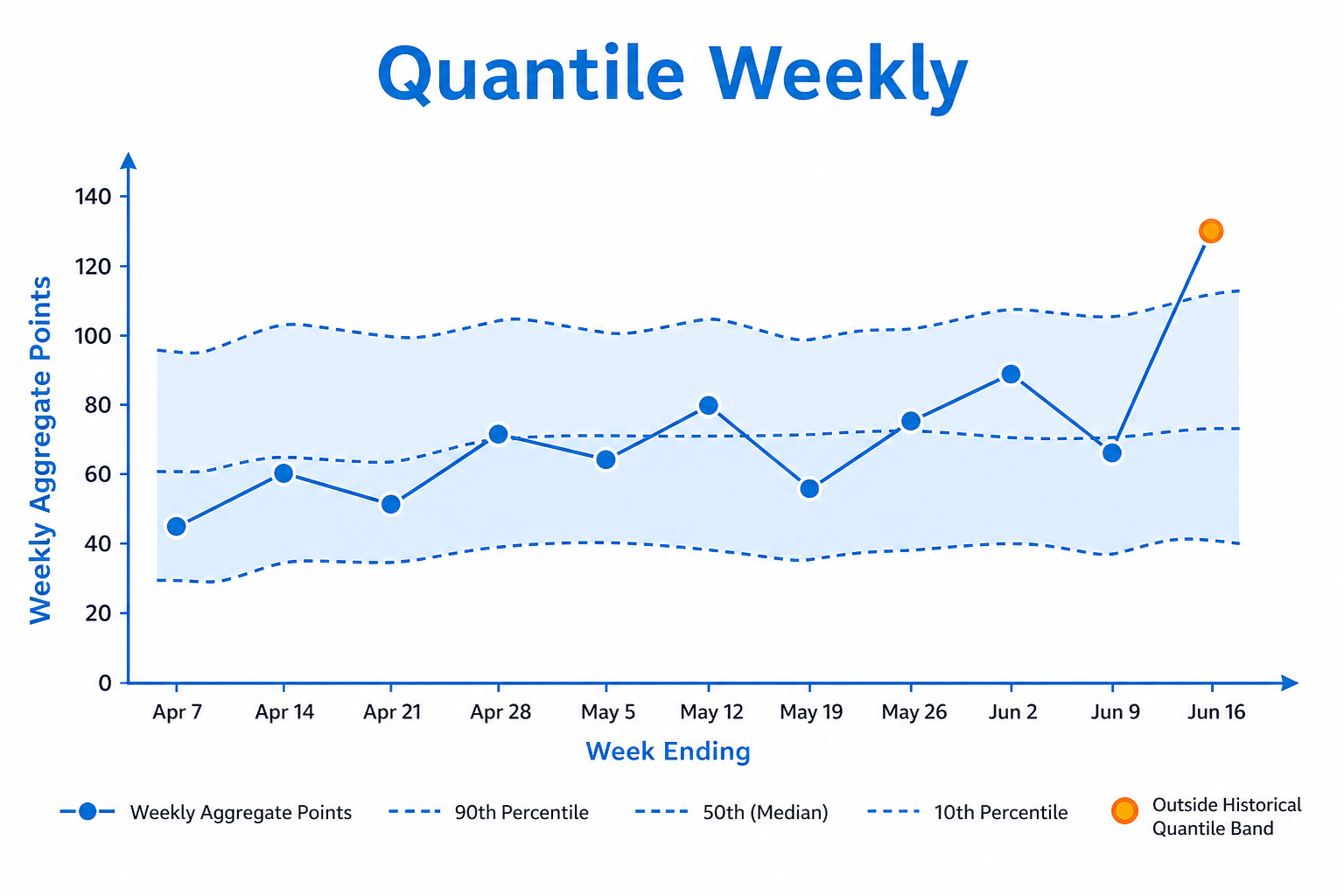
Quantile Weekly first builds weekly aggregates, then compares the current week to a historical weekly percentile of those aggregates.
Choose aggregateMode to match how the business reads weekly KPIs. This keeps distribution-based alerting while smoothing day-to-day noise.
Setup
Choose aggregateMode and percentile.
Configure detectors on the data view Analysis tab or in YAML. Validate with Data Preview before enabling production schedules.
Settings
| Parameter | Default | Description |
|---|---|---|
percentile |
95 |
Weekly historical quantile |
mode |
above |
Direction -- see Allowed values |
aggregateMode |
sum |
Period aggregation -- see Allowed values |
Allowed values
mode
| Value | Meaning |
|---|---|
above |
Flag values above the quantile boundary |
below |
Flag values below the quantile boundary |
both is not implemented for quantile detectors (qt, qtw, qtm).
aggregateMode
Used when the detector compares period totals (week / month / quarter), not raw daily points.
| Value | Meaning |
|---|---|
sum |
Compare sums of daily values in the period (default) |
average |
Compare averages of daily values in the period |
Shared series filters
Most detectors also accept optional series filters in params:
| Parameter | Purpose |
|---|---|
maxGapAmount |
Skip series when gap amount is too high (null = no limit). Catalog create-default is often 5. |
minValue |
Skip series whose average value is below this (null = no limit). Catalog create-default is often 1000. |
maxValue |
Skip series whose average value is above this (optional; omit/null = no limit) |
useSpecialDates |
When true, suppress anomalies that overlap special dates |
When a filter skips a series, Data Preview shows the reason.
Configuration example
analysis:
  detectors:
    - type: qtw
      params:
        percentile: 95
        mode: above
        aggregateMode: sum
Using the detector
Reduces daily noise while keeping distribution-based alerting.
Use cases
- Weekly KPI watchlists
- Campaign weeks that must not exceed historical extremes