Quarter over Quarter (QoQ)
YAML type: qoq | Category: Periodic
Compares the current quarter aggregate to the previous quarter.
Description
QoQ supports longer planning cycles with sum/average aggregation.
How it works
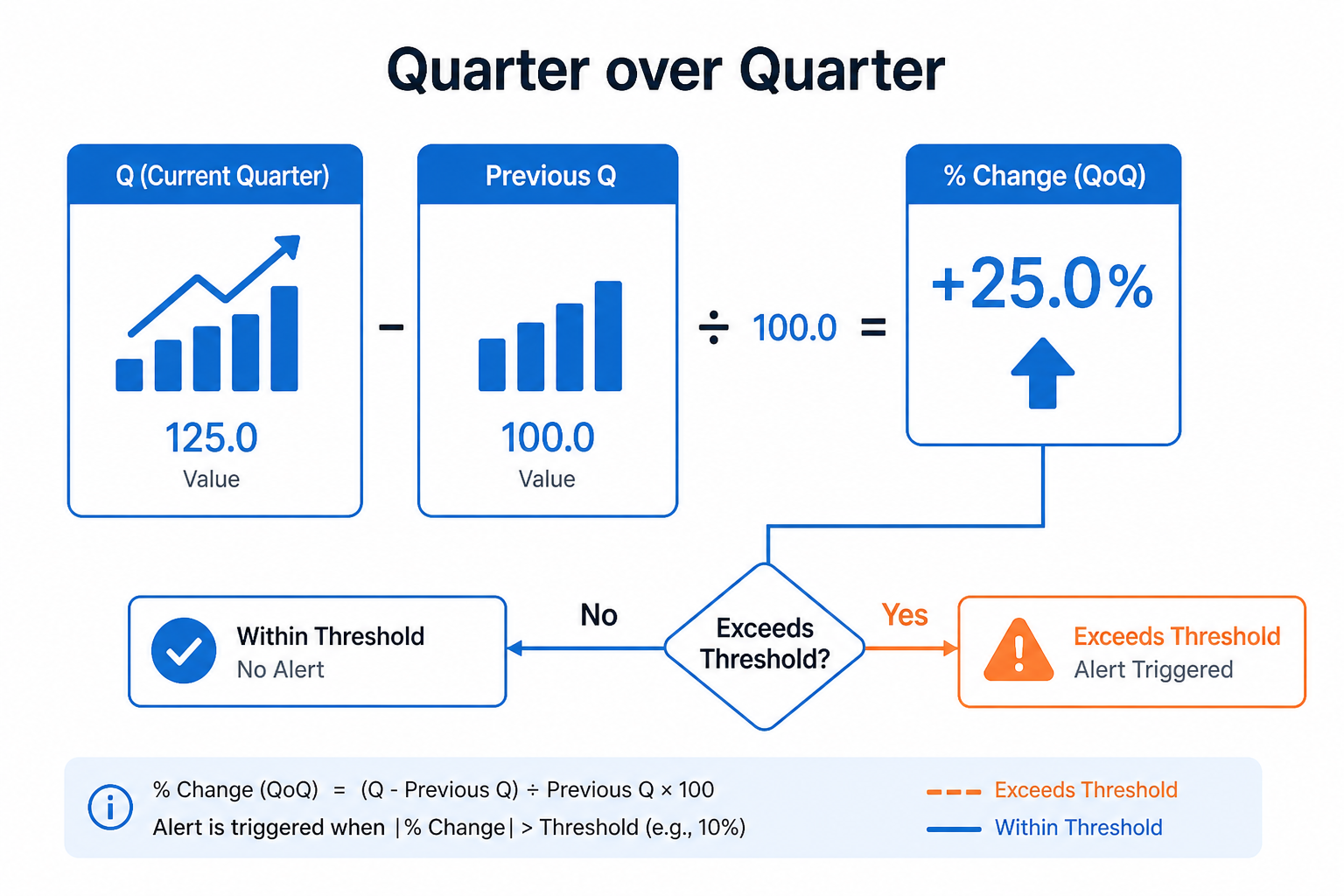
Quarter over Quarter aggregates into quarters and compares the current quarter to the previous one with percentual change and mode.
Use it for longer planning cycles. Pairing with special dates helps when holidays cluster unevenly across quarters.
Setup
Use when quarterly reporting is the business cadence.
Configure detectors on the data view Analysis tab or in YAML. Validate with Data Preview before enabling production schedules.
Settings
| Parameter | Default | Description |
|---|---|---|
percentualChange |
50 |
Minimum absolute % change |
mode |
both |
Direction -- see Allowed values |
aggregateMode |
sum |
Period aggregation -- see Allowed values |
Allowed values
mode
| Value | Meaning |
|---|---|
above |
Flag increases / values above the comparison (or high side of a band) |
below |
Flag decreases / values below the comparison (or low side of a band) |
both |
Flag either direction |
aggregateMode
Used when the detector compares period totals (week / month / quarter), not raw daily points.
| Value | Meaning |
|---|---|
sum |
Compare sums of daily values in the period (default) |
average |
Compare averages of daily values in the period |
Shared series filters
Most detectors also accept optional series filters in params:
| Parameter | Purpose |
|---|---|
maxGapAmount |
Skip series when gap amount is too high (null = no limit). Catalog create-default is often 5. |
minValue |
Skip series whose average value is below this (null = no limit). Catalog create-default is often 1000. |
maxValue |
Skip series whose average value is above this (optional; omit/null = no limit) |
useSpecialDates |
When true, suppress anomalies that overlap special dates |
When a filter skips a series, Data Preview shows the reason.
Configuration example
analysis:
  detectors:
    - type: qoq
      params:
        percentualChange: 35.0
        mode: both
        aggregateMode: sum
        useSpecialDates: true
Using the detector
Often paired with special-date suppression for holiday-heavy quarters.
Use cases
- Board / finance quarterly reviews
- Pipeline or bookings QoQ
- Capacity and inventory quarters