Zero Rate
YAML type: zero_rate | Category: Data quality
Flags sustained windows where the share of near-zero days exceeds a threshold.
Description
Zero Rate looks at the proportion of near-zero days in a rolling lookback, not a single zero. Use it for sparse or zero-heavy regimes.
How it works
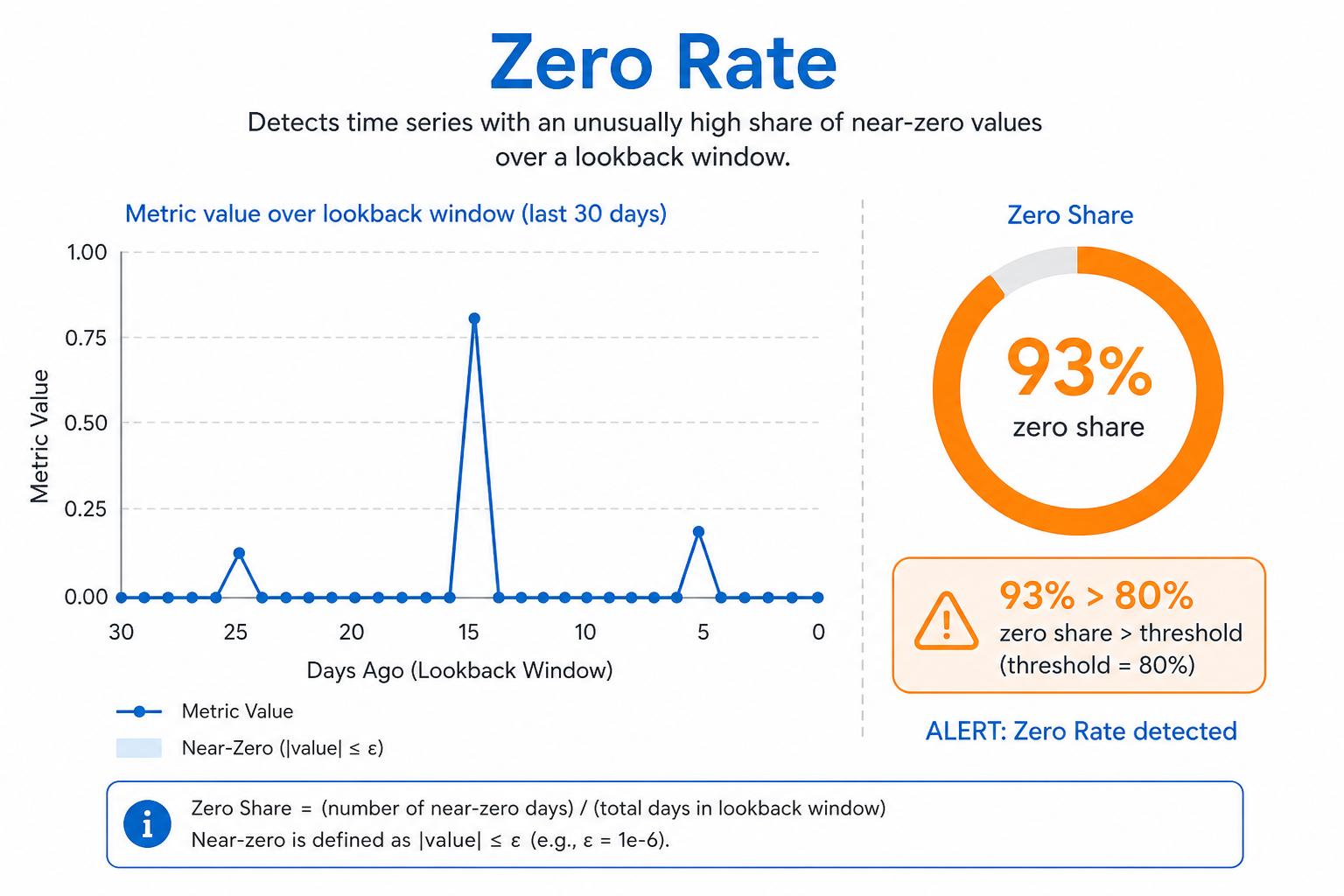
Zero Rate computes the share of near-zero days inside a rolling lookbackDays window and compares it to rateThreshold. With mode: above it alerts when zeros become too common; below alerts when zeros disappear unexpectedly.
The condition must hold for at least minDurationDays, so a single quiet day does not fire. Prefer Flatline when the series is fully stuck at a constant value.
Setup
Set lookbackDays, rateThreshold, and mode (above when too many zeros, below when zeros disappear unexpectedly).
Configure detectors on the data view Analysis tab or in YAML. Validate with Data Preview before enabling production schedules.
Settings
| Parameter | Default | Description |
|---|---|---|
lookbackDays |
30 |
Window for computing zero share |
nearZeroThreshold |
0.001 |
Absolute near-zero cutoff |
rateThreshold |
0.3 |
Zero-share threshold (0-1) |
minDurationDays |
3 |
Minimum duration of the condition |
mode |
above |
Direction -- see Allowed values |
Allowed values
mode
| Value | Meaning |
|---|---|
above |
Flag increases / values above the comparison (or high side of a band) |
below |
Flag decreases / values below the comparison (or low side of a band) |
both |
Flag either direction |
above: near-zero rate is at leastrateThresholdbelow: near-zero rate is at mostrateThreshold
Shared series filters
Most detectors also accept optional series filters in params:
| Parameter | Purpose |
|---|---|
maxGapAmount |
Skip series when gap amount is too high (null = no limit). Catalog create-default is often 5. |
minValue |
Skip series whose average value is below this (null = no limit). Catalog create-default is often 1000. |
maxValue |
Skip series whose average value is above this (optional; omit/null = no limit) |
useSpecialDates |
When true, suppress anomalies that overlap special dates |
When a filter skips a series, Data Preview shows the reason.
Configuration example
analysis:
  detectors:
    - type: zero_rate
      params:
        lookbackDays: 30
        nearZeroThreshold: 0.001
        rateThreshold: 0.3
        minDurationDays: 3
        mode: above
Using the detector
Useful when occasional zeros are normal but a high zero rate indicates failure.
Use cases
- Intermittent feed dropouts
- Catalog items that stop selling for long stretches
- Detecting recovery when zeros suddenly vanish (
mode: below)
Specifics
Prefer Flatline for long fully-stuck constant runs.