Cluster Window (CW)
YAML type: cw | Category: Adaptive
Compares averages of consecutive sliding windows to detect level shifts.
Description
CW flags when the mean of one window differs from the next beyond eps, with enough points (minPoints).
How it works
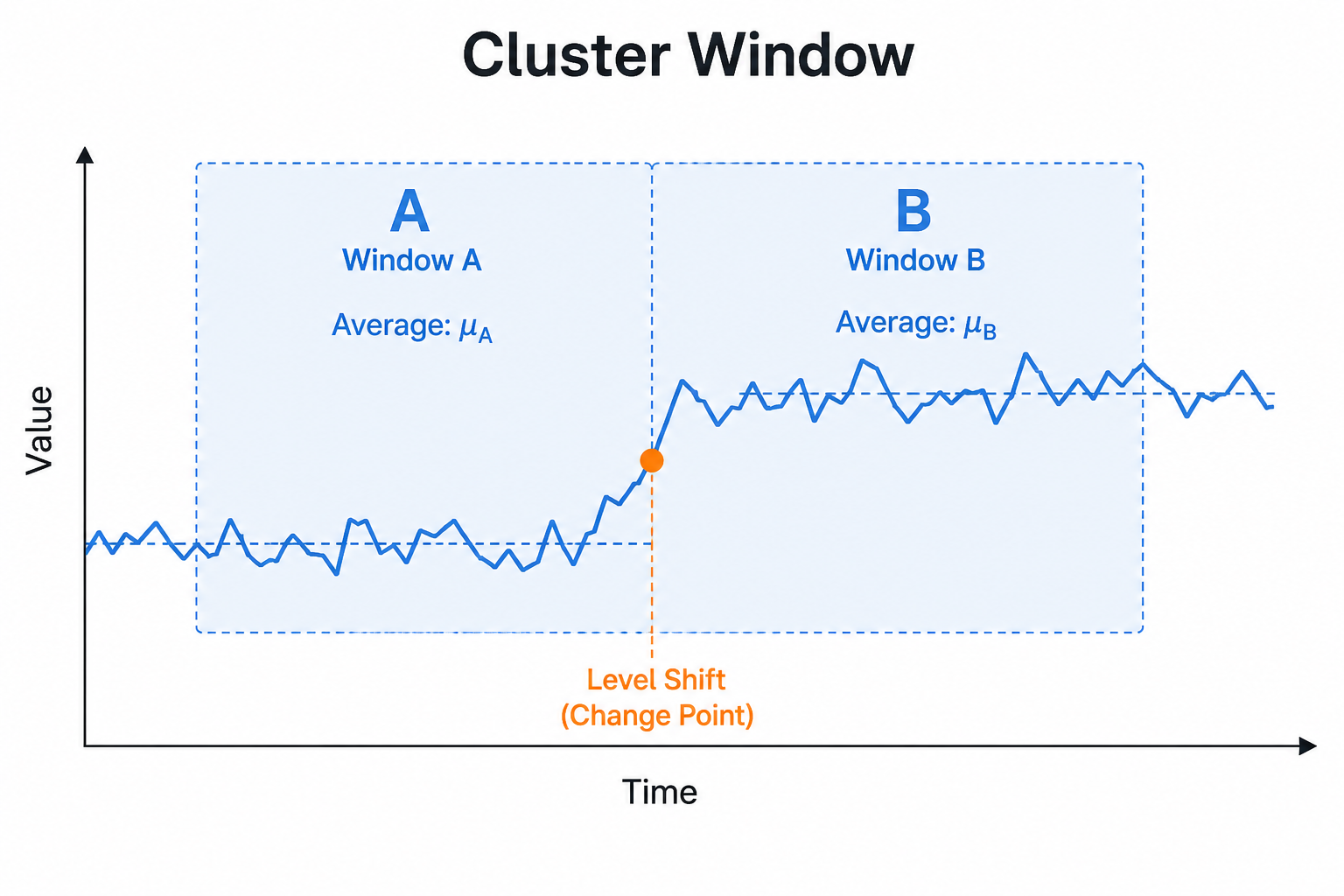
Cluster Window compares the average of one sliding window to the next. When the absolute difference of those averages exceeds eps and both windows have enough points (minPoints), it reports a level-shift anomaly.
It targets step changes in the mean level rather than single-day spikes. Larger windowSizeDays smooths noise; larger eps reduces sensitivity.
Setup
Increase windowSizeDays for smoother shifts; raise eps to reduce sensitivity.
Configure detectors on the data view Analysis tab or in YAML. Validate with Data Preview before enabling production schedules.
Settings
| Parameter | Default | Description |
|---|---|---|
windowSizeDays |
7 |
Sliding window length |
eps |
1.0 |
Minimum average difference |
minPoints |
2 |
Minimum points per window |
Shared series filters
Most detectors also accept optional series filters in params:
| Parameter | Purpose |
|---|---|
maxGapAmount |
Skip series when gap amount is too high (null = no limit). Catalog create-default is often 5. |
minValue |
Skip series whose average value is below this (null = no limit). Catalog create-default is often 1000. |
maxValue |
Skip series whose average value is above this (optional; omit/null = no limit) |
useSpecialDates |
When true, suppress anomalies that overlap special dates |
When a filter skips a series, Data Preview shows the reason.
Configuration example
analysis:
  detectors:
    - type: cw
      params:
        windowSizeDays: 7
        eps: 1.0
        minPoints: 2
Using the detector
Interpret as a step/level-change detector rather than a spike detector.
Use cases
- After pricing or catalog changes
- Detecting new steady states post-incident
- Gradual regime steps that spikes miss
Specifics
Related: changepoint, sustain.