Flatline
YAML type: flatline | Category: Data quality
Flags periods where values are near zero or effectively constant for multiple days.
Description
Flatline detects stuck metrics -- broken feeds that keep sending zeros or the same number. Mode selects near-zero, constant, or both.
How it works
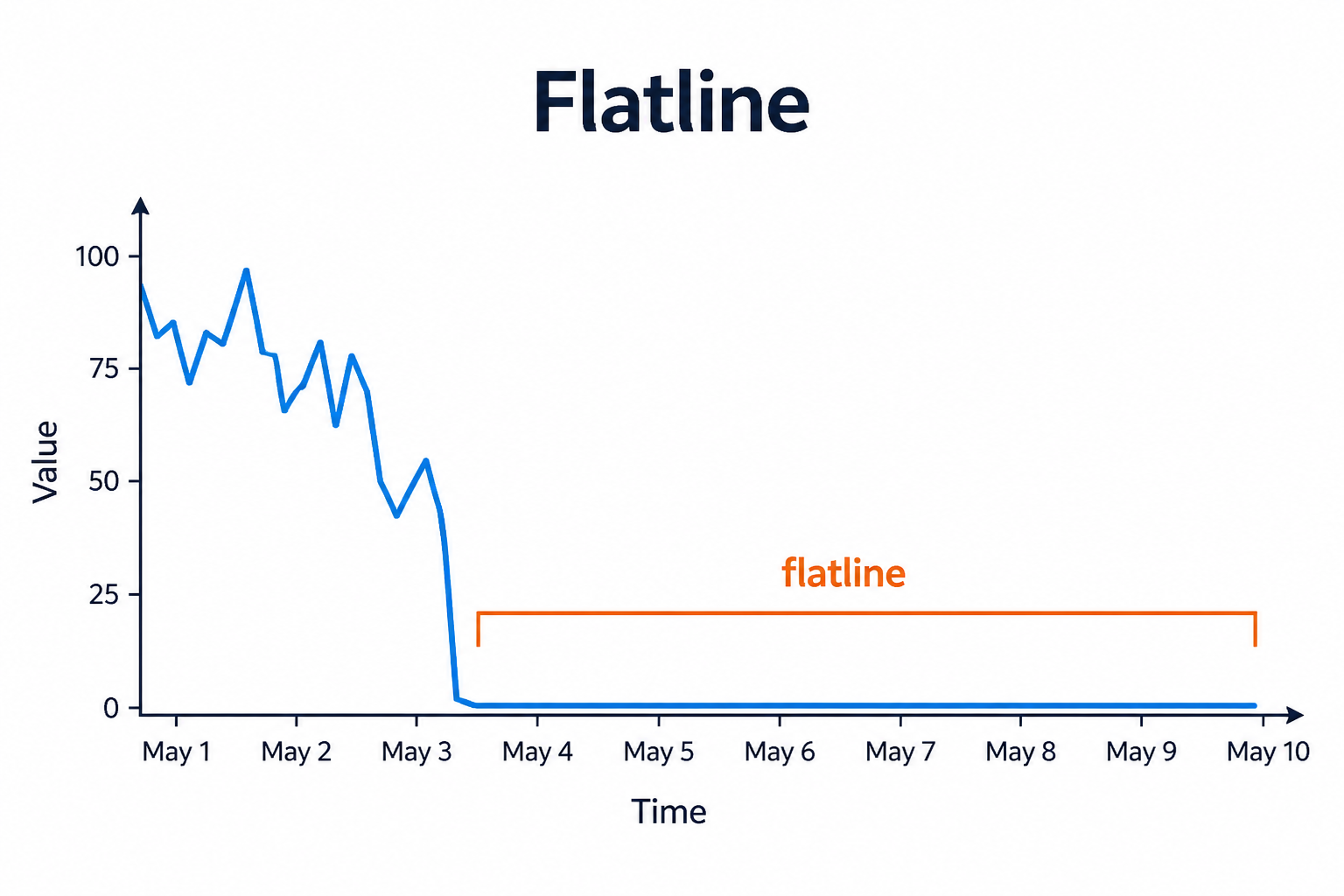
Flatline scans for runs of days that are near zero, nearly constant (low standard deviation), or both, according to mode. When the run lasts at least minDurationDays, it emits a Flatline anomaly.
Jitter tolerance allows tiny noise while still treating the series as stuck. This catches broken feeds that keep publishing zeros or the same placeholder value.
Setup
Choose mode (zero, constant, or zero_or_constant). Raise minDurationDays to ignore short quiet periods.
Configure detectors on the data view Analysis tab or in YAML. Validate with Data Preview before enabling production schedules.
Settings
| Parameter | Default | Description |
|---|---|---|
minDurationDays |
3 |
Minimum run length to flag |
nearZeroThreshold |
0.001 |
Absolute near-zero cutoff |
maxStdDev |
0.0001 |
Max std-dev for "constant" |
mode |
zero_or_constant |
Flatline kind -- see Allowed values |
jitterTolerancePct |
0.5 |
Allowed relative jitter for constant mode |
Allowed values
mode
| Value | Meaning |
|---|---|
zero |
Point counts when near zero (|v| <= nearZeroThreshold) |
constant |
Point counts when it matches the previous value within jitterTolerancePct; segment also needs stdDev <= maxStdDev |
zero_or_constant |
Near-zero or constant (default) |
Shared series filters
Most detectors also accept optional series filters in params:
| Parameter | Purpose |
|---|---|
maxGapAmount |
Skip series when gap amount is too high (null = no limit). Catalog create-default is often 5. |
minValue |
Skip series whose average value is below this (null = no limit). Catalog create-default is often 1000. |
maxValue |
Skip series whose average value is above this (optional; omit/null = no limit) |
useSpecialDates |
When true, suppress anomalies that overlap special dates |
When a filter skips a series, Data Preview shows the reason.
Configuration example
analysis:
  detectors:
    - type: flatline
      params:
        minDurationDays: 3
        nearZeroThreshold: 0.001
        maxStdDev: 0.0001
        mode: zero_or_constant
        jitterTolerancePct: 0.5
Using the detector
Investigate whether the source system stalled, a filter emptied the series, or a process stopped publishing.
Use cases
- Broken IoT or app telemetry
- Zero-sales after a store system outage
- Constant placeholder values left in ETL
Specifics
Related: zero_rate for elevated zero share over a lookback window.