Peer Group
YAML type: peer | Category: Business
Compares a series to peers sharing groupBy dimensions while differing on varyBy.
Description
Peer uses precomputed peer median/MAD baselines. It runs only on rollup series where groupBy and varyBy are set and all other categories are null.
How it works
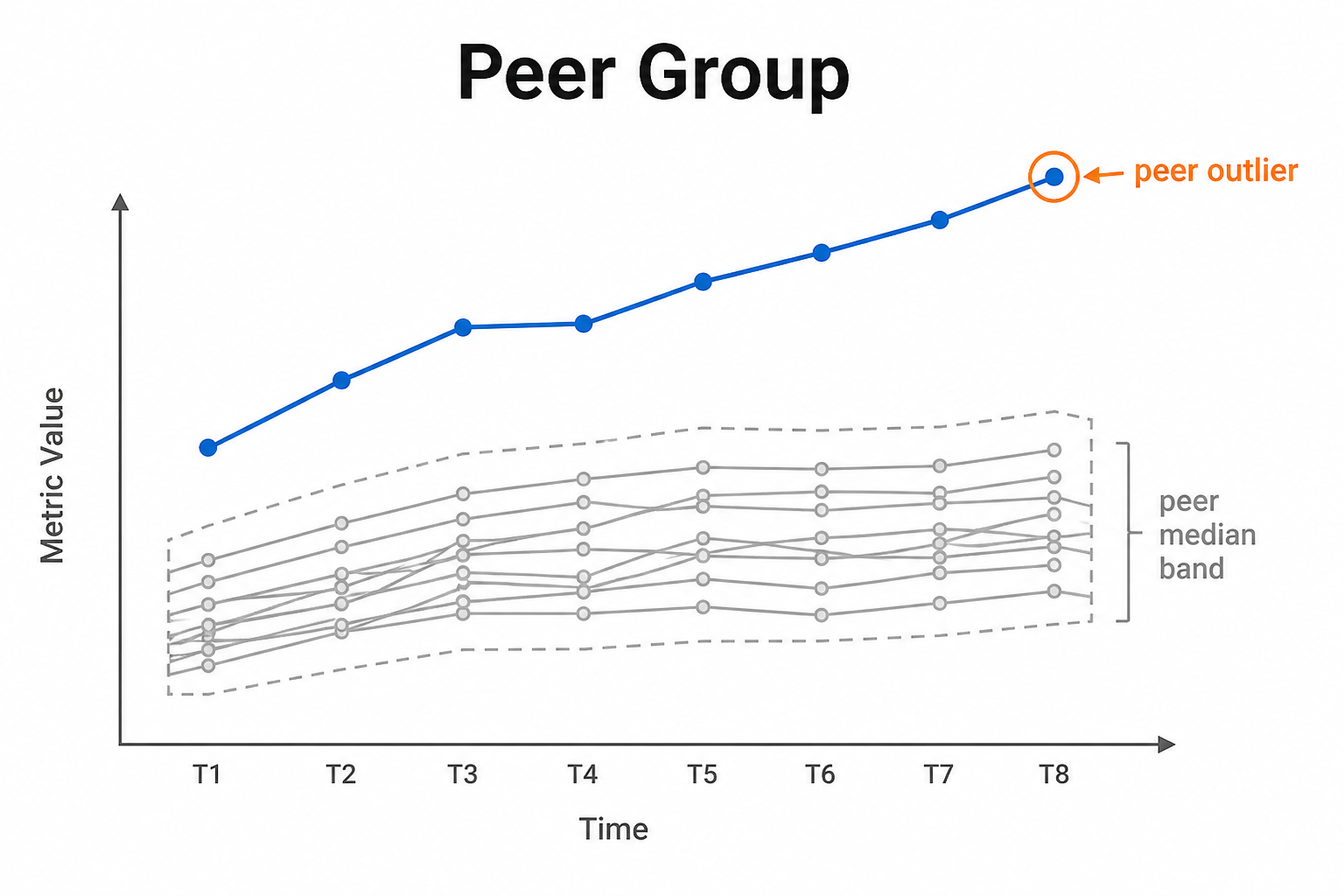
Peer builds a cohort of series that share groupBy dimensions and differ on varyBy, using precomputed peer median/MAD baselines from load time. Each eligible series is scored with robust_z or ratio against that peer set.
Detection runs only on rollup grains where groupBy and varyBy are set and all other categories are null. If Data Preview skips peer, check that grain rule first.
Setup
Define groupBy and varyBy category lists. Choose scoreMethod (robust_z or ratio) and thresholds.
Configure detectors on the data view Analysis tab or in YAML. Validate with Data Preview before enabling production schedules.
Settings
| Parameter | Default | Description |
|---|---|---|
groupBy |
-- | Shared peer dimensions |
varyBy |
-- | Dimension that differs across peers |
minPeers |
5 |
Minimum peers required |
scoreMethod |
robust_z |
Scoring method -- see Allowed values |
zThreshold |
3 |
For robust_z |
ratioLow / ratioHigh |
0.6 / 1.6 |
For ratio method |
mode |
both |
Direction -- see Allowed values |
excludeSelf |
true |
Exclude series from its peer set |
Allowed values
scoreMethod
| Value | Meaning |
|---|---|
robust_z (default) |
Compare to peer median using MAD; uses zThreshold |
ratio |
Compare to peer expected via ratio bounds ratioLow / ratioHigh |
mode
| Value | Meaning |
|---|---|
above |
Flag increases / values above the comparison (or high side of a band) |
below |
Flag decreases / values below the comparison (or low side of a band) |
both |
Flag either direction |
Shared series filters
Most detectors also accept optional series filters in params:
| Parameter | Purpose |
|---|---|
maxGapAmount |
Skip series when gap amount is too high (null = no limit). Catalog create-default is often 5. |
minValue |
Skip series whose average value is below this (null = no limit). Catalog create-default is often 1000. |
maxValue |
Skip series whose average value is above this (optional; omit/null = no limit) |
useSpecialDates |
When true, suppress anomalies that overlap special dates |
When a filter skips a series, Data Preview shows the reason.
Configuration example
analysis:
  detectors:
    - type: peer
      params:
        groupBy: [region, channel]
        varyBy: [product]
        minPeers: 5
        scoreMethod: robust_z
        zThreshold: 3.0
        mode: both
        excludeSelf: true
Using the detector
If peer is skipped in Data Preview, check grain: other categories must be null on the series.
Use cases
- Product vs peers in the same region/channel
- Store performance vs peer stores
- Detecting under/over-performers in a cohort
Specifics
Baselines are built at load time in a per-data-view peer baseline table.