Connectors
Connectors define encrypted database connections used by data views to read source data for analysis. To view the list of defined connectors, click Connectors in the left side panel. A filterable list of connectors appears. The list shows the connector type based on the database source (Oracle DB, PostgreSQL, Fabric, and so on), the connector name, and an optional description.
A green status means the connector is active. A red status means the last connector test did not finish with a success message. All defined connectors are tested every few hours. You can also test any connector ad hoc by clicking it.
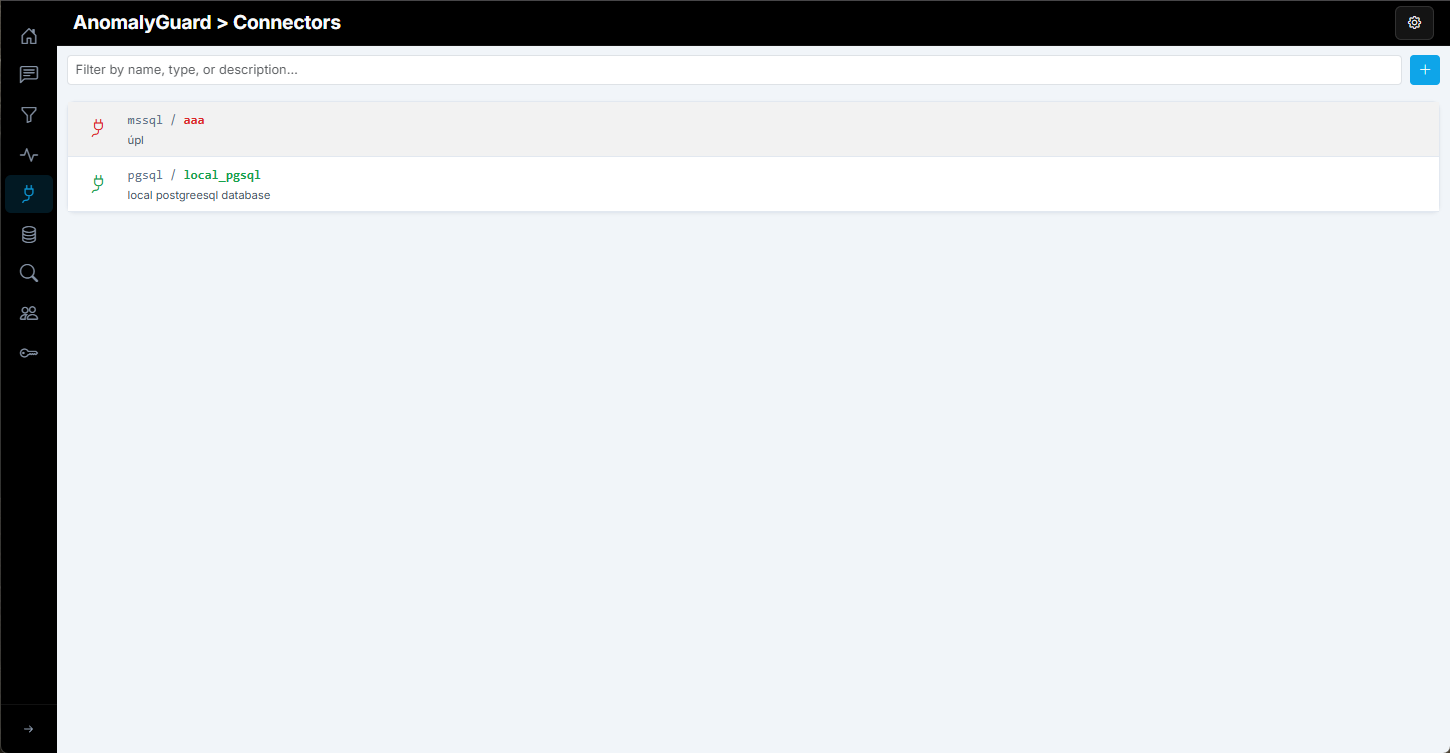
To add a new connector, click the blue Add Connector button on the main page. A dialog opens where you define all connector parameters — name, type, description, and other settings.
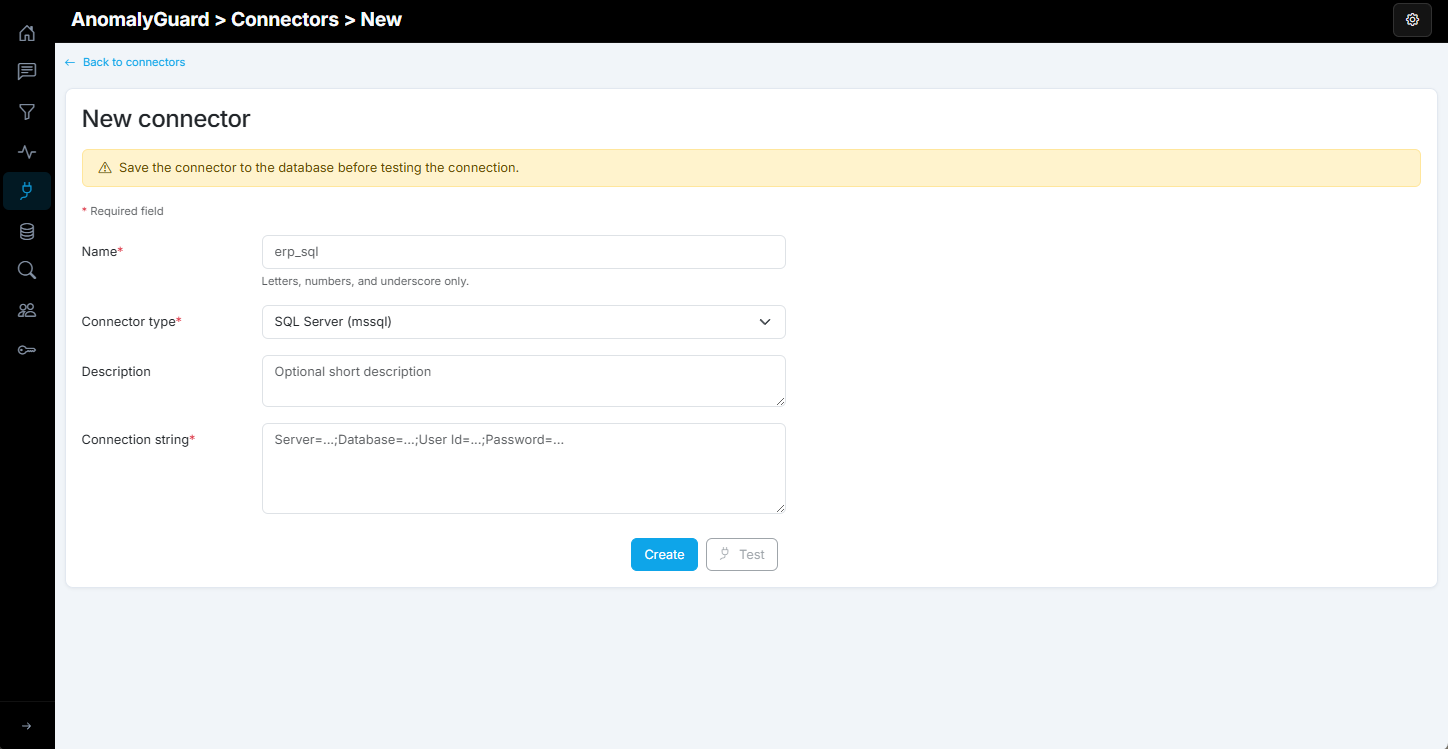
The current version of AnomalyGuard supports connectors for five data sources: SQL Server, PostgreSQL, Oracle DB, Snowflake, and MS Fabric.
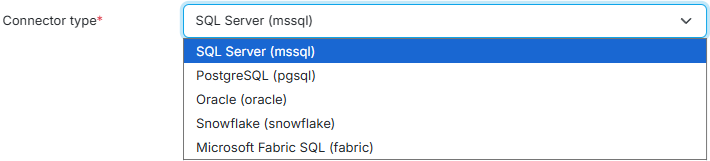
The following table lists and describes all connectors.
Supported engines
| Type | Auth | Config JSON |
|---|---|---|
mssql |
Connection string | {"conn_string":"Server=...;Database=...;"} |
pgsql |
Connection string | {"conn_string":"Host=...;Database=...;"} |
oracle |
Connection string | {"conn_string":"User Id=...;Data Source=...;"} |
snowflake |
SQL user (connection string) | {"conn_string":"account=...;user=...;password=...;db=...;warehouse=...;"} |
fabric |
Service principal | {"server":"....datawarehouse.fabric.microsoft.com","database":"...","tenant_id":"...","client_id":"...","client_secret":"..."} |
The list of configurable parameters changes based on the selected connector type. When using classic SQL databases as the data backend, define an ADO.NET-compatible SQL connection string in the connector.
When you select Microsoft Fabric SQL, you define several parameters such as server, database, tenant ID, and service principal credentials. With this connector you can read data through the SQL endpoint from a Lakehouse, Warehouse, or Fabric SQL Database.
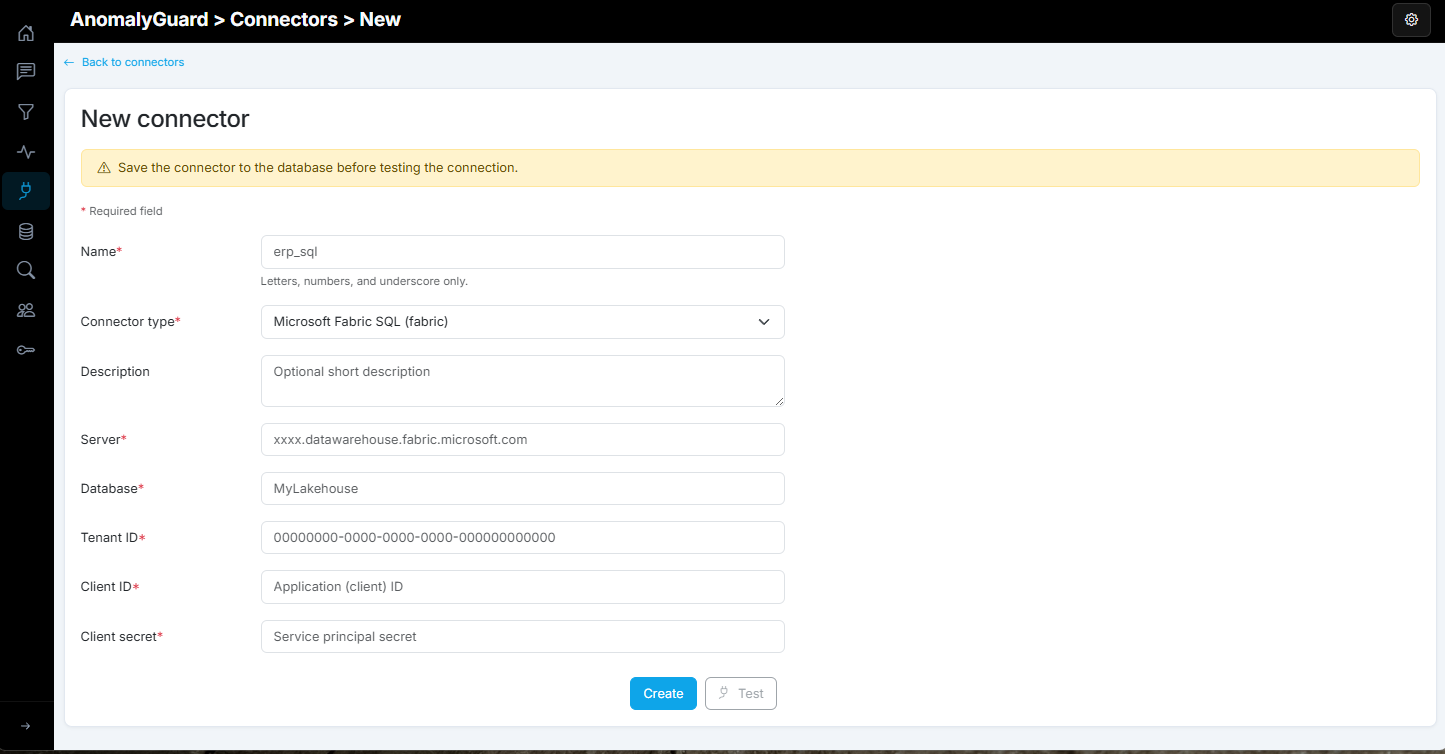
After creating or editing a connector, you can test it with the Test button, which appears after the connector settings are saved.
REST API
Base path: /api/v1/connectors (admin only)
| Method | Path | Description |
|---|---|---|
| GET | / |
List connectors (connection strings masked) |
| GET | /{name} |
Get connector by name |
| POST | /{name}/test |
Test connectivity |
| POST | / |
Create connector |
| PUT | /{name} |
Update connector |
| DELETE | /{name} |
Delete connector |
CLI
anomalyguard connectors list
anomalyguard connectors get MyWarehouse
anomalyguard connectors test MyWarehouse
anomalyguard connectors create --file connector.json
Note
Connector configuration (connection strings, secrets) is never returned by the API after creation. Store credentials securely when configuring connectors.